Support
Raise a ticket, add detail or attachments, and follow it through to resolution. Every conversation stays on the ticket, so nothing is lost in somebody's inbox.

The client portal
Every CaminhoIT client gets a portal: tickets, services, orders, quotes, proposals, invoices, licence requests and your authorised users, in one place. Included in the service, not a paid extra.
What is in it
Built around the things clients actually ask us for — which, more often than not, is simply to know where something has got to.
Raise a ticket, add detail or attachments, and follow it through to resolution. Every conversation stays on the ticket, so nothing is lost in somebody's inbox.
Every managed service you have with us, what it covers and its current status. No more wondering what the monthly invoice is actually for.
Hardware and software orders from placement through to fulfilment, with the detail of what was ordered and when it is expected.
Review a quote line by line and approve it in the portal. The approval is recorded, so there is no argument later about what was agreed.
Full proposals for projects and service changes, with scope and cost set out properly rather than summarised in an email.
Invoices, payment history and the ability to pay online. Finance can find what they need without going through your IT contact.
Request new licences or changes to existing ones through a structured request rather than an ad-hoc message.
How-to guides and answers to common questions, so straightforward things do not need a ticket at all.
Your organisation's details and the people authorised to raise requests, approve spending and change access.
Support
The single most common frustration with IT providers is not knowing whether anything is happening. A ticket you can see — with its priority, its owner and its history — removes most of that at a stroke, and it means the conversation stays attached to the work rather than scattered across inboxes.
| Item | Qty |
|---|---|
| Wireless access points | 3 |
| Cabling to each access point | 3 |
| Installation and survey | 1 |
Access
You tell us who should have access. Colleagues can be invited to your organisation rather than sharing one login.
You nominate who may approve spending, authorise access changes and request licences — so we are not guessing whether a request is sanctioned.
Multi-factor authentication, and single sign-on with your Microsoft account where you would prefer that.
When someone leaves your business, their portal access goes with everything else.
Services and billing
Your active services, what each covers, and the invoices that correspond to them. Finance can find an invoice without asking IT, and IT can see what is covered without asking finance. It sounds small; it removes a surprising number of emails.
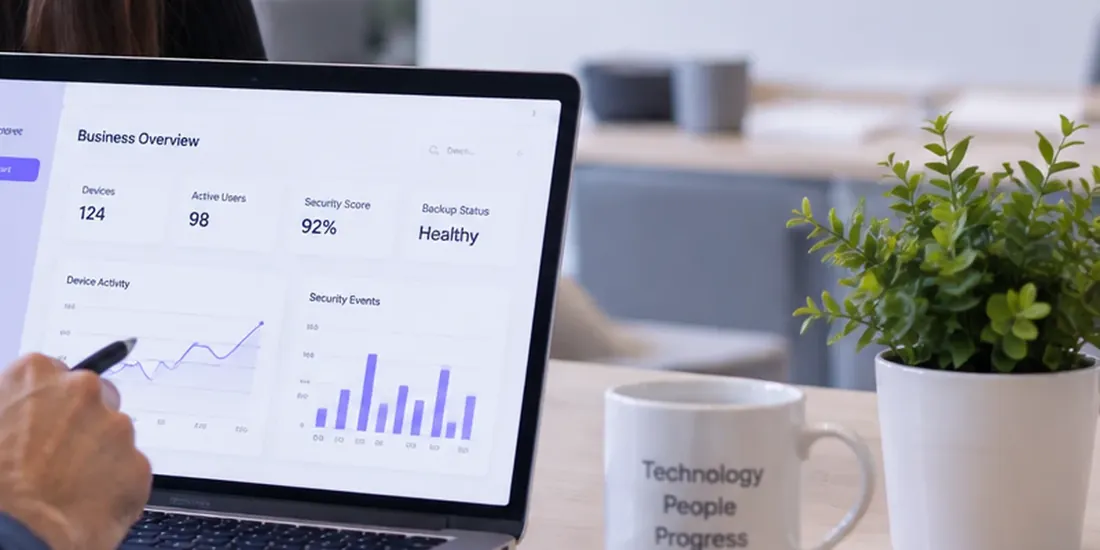
Illustration
Sample data, shown to illustrate the layout.

Why it matters
A provider who makes it hard to see what is happening is usually a provider who does not want you looking. Everything we do for you should be visible to you — what was raised, what was done, what it cost, and what you are currently paying for. The portal is how we hold ourselves to that.
Questions
No. It is included for every client, on every service level. We would find it difficult to argue that you should pay to see what you are already paying for.
No. Email and the phone work exactly as they always did — an email to support becomes a ticket automatically, and you can reply by email throughout without opening the portal once. The portal is there for the times you want to see everything in one place, or for a colleague who wants to check something without asking you.
Yes, and they should. Everyone gets their own login rather than sharing one, which means tickets are attributed properly and access can be removed individually when someone leaves. You control who is invited, and you tell us which of them are authorised to approve spending or request access changes.
Multi-factor authentication, with single sign-on using your Microsoft account available where you would prefer that. Each user sees only their own organisation's data. Access is removed as part of your leaver process, in the same way as everything else.
Not today. The portal currently covers support, services, orders, quotes, proposals, billing, licences and your team. Live views of device inventory, backup status and security posture are on our roadmap, and we would rather tell you that than show a dashboard of numbers that are not really coming from your systems.
They are labelled illustrations built from the portal's own components, with sample data. We are not going to publish screenshots of a real client's tickets or invoices to sell a service, so until we have properly sanitised captures, illustrations marked as illustrations are the honest option.
Already a client? Client Login →

Ready to get started?
Book a consultation and we will walk you through the portal as part of it, rather than showing you a brochure.